Build
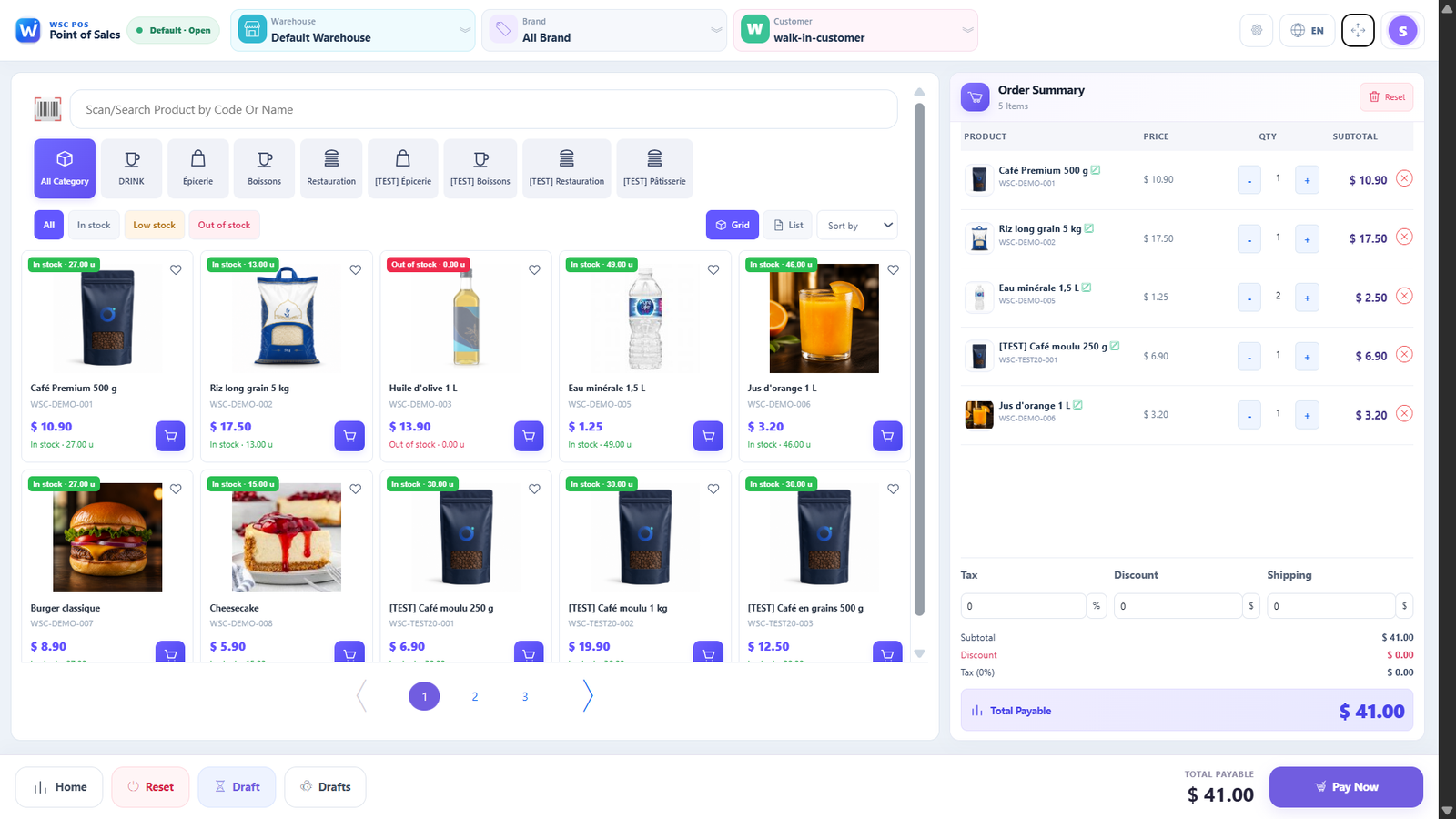
Add products and adjust the cart freely.
→WSC Restau brings sales, orders, inventory, employees, expenses, and performance together in one platform.
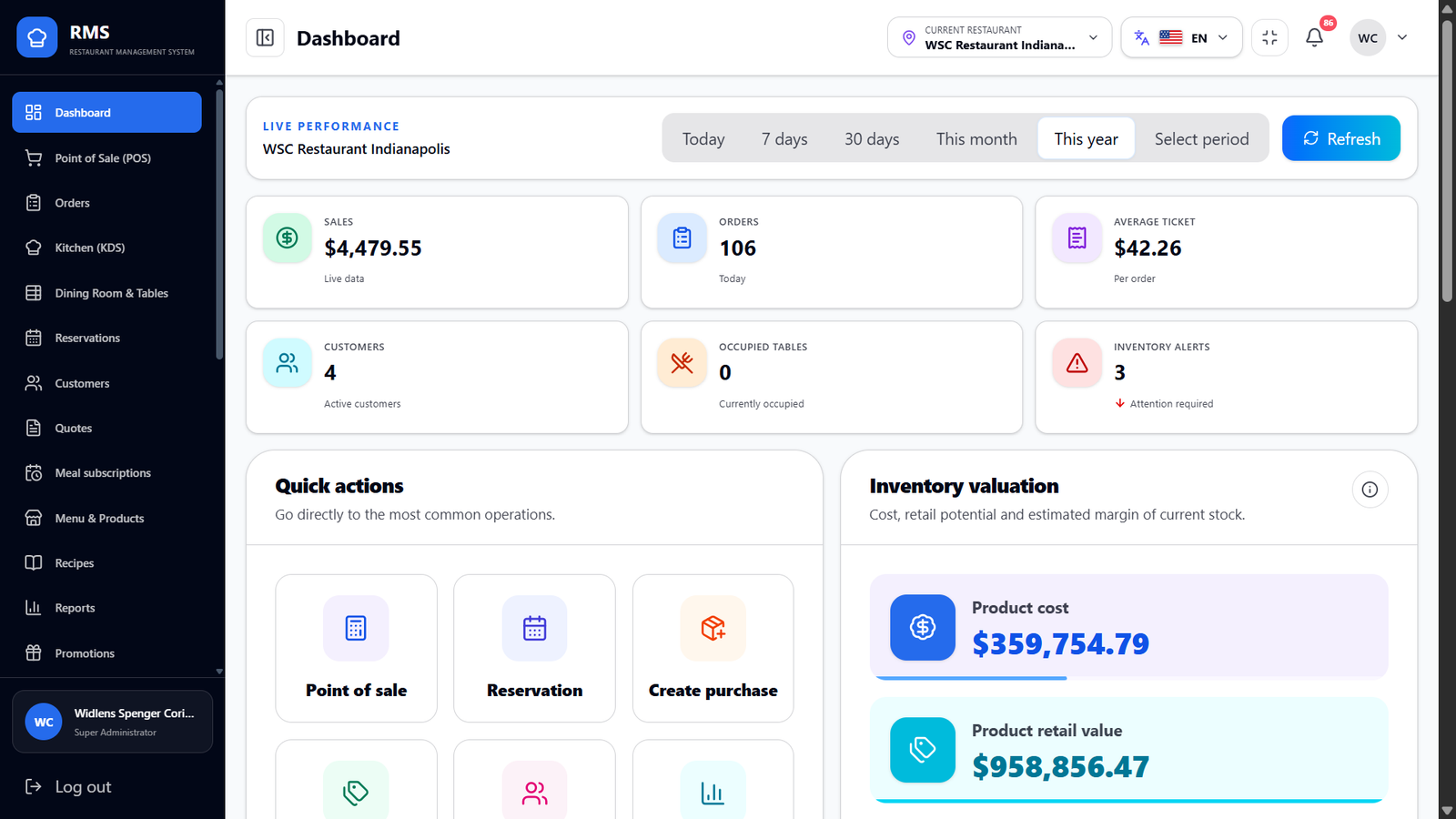
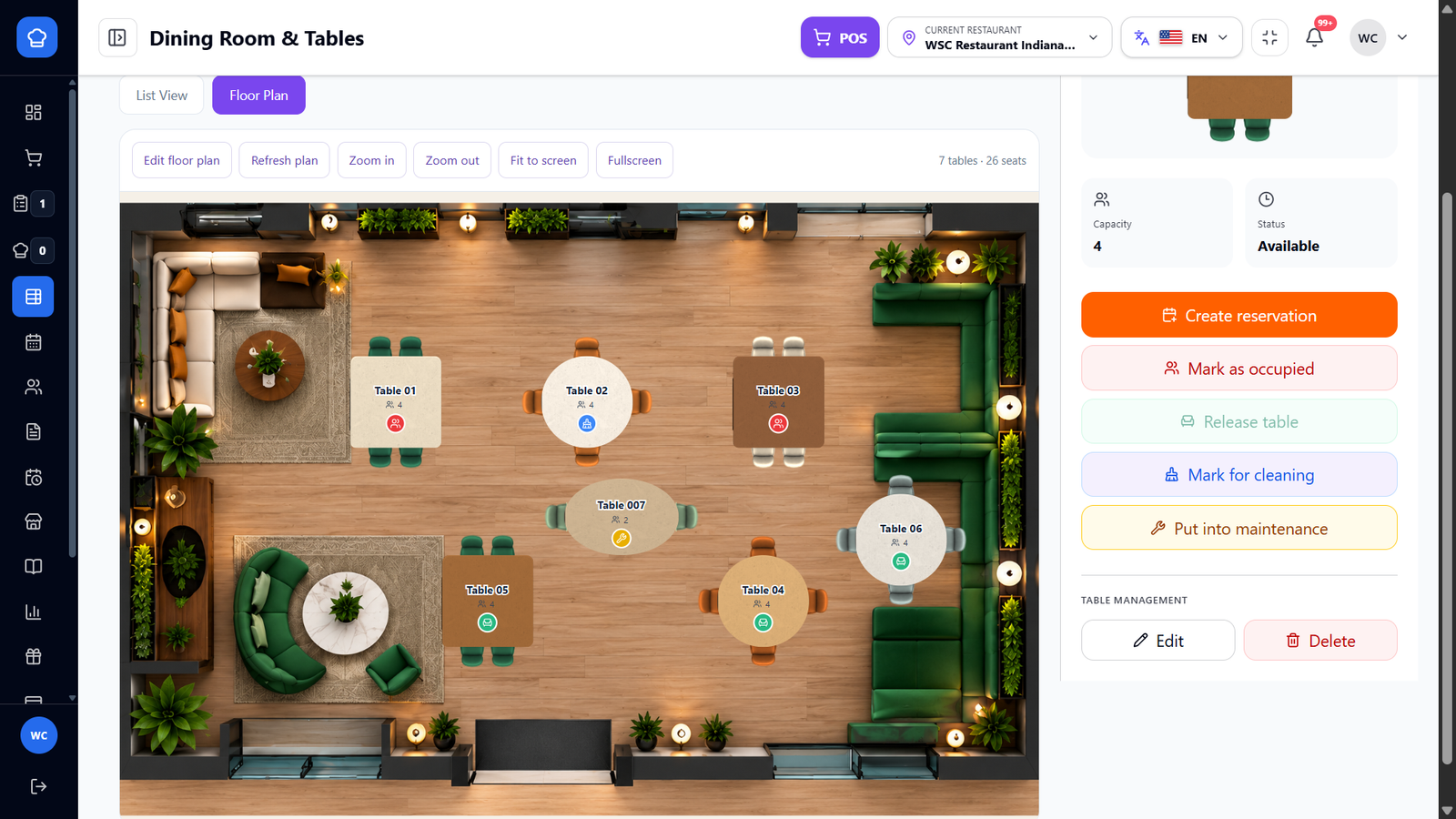
View table layout, capacity and status to organize service. Find reservation, occupancy, cleaning and maintenance actions in the RMS interface.
Every action reaches the right place at the right time. The cart stays editable until the order is saved.
Add products and adjust the cart freely.
→The order and its number are created only after confirmation.
→The confirmed order appears in Orders and in the kitchen.
→Sales, inventory, and reports update together.
From ordering to accounting, every team works from the same reliable data.
POS, orders, tables, and KDS synchronized in real time.
Inventory, recipes, purchasing, suppliers, and expenses in one place.
Employees, roles, permissions, and performance by location.
Reports, taxes, payments, and accounting for confident decisions.
 Connected to POS · Orders · KDS
Guests browse the menu, customize items, and confirm their own order. Once submitted, it automatically reaches Orders and the KDS.
Products, categories, options, and availability always stay synchronized.
A journey adapted to each service type with integrated table selection.
Every guest can order in the language that works for them.
Secure payment, order number, and immediate delivery to the KDS.
Review global sales, compare locations, and control orders, expenses, inventory, teams, and profit.
Workflows for every restaurant format, without unnecessary complexity.
Illustrative visuals supplied to show equipment and business environments. Visible interfaces and brands are not WSC products. Models, availability and compatibility require confirmation by quotation.


Compare configured POS and RMS plans, their limits and features. Each product keeps its own independent subscription.
Try WSC Restau for free.